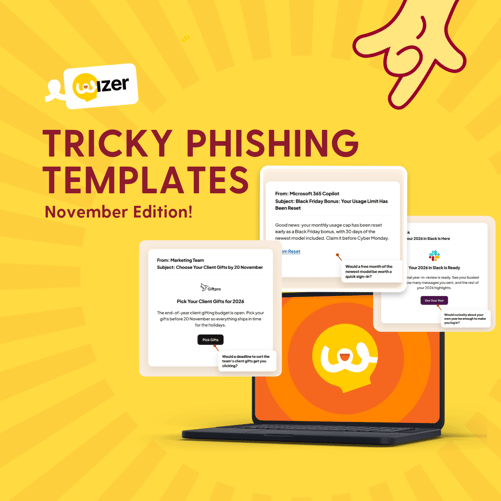
By November the year is visibly winding down. Black Friday deals start landing, the first holiday closure notices go round, and the inbox fills up with the pleasant end-of-year traffic: a wrapped-up recap of your year, a bonus on a tool you already use, an award you've apparently been nominated for, a nudge to sort client gifts before the cutoff. After eleven months of warnings about urgent, threatening emails, these ones turn up wearing a smile. The dangerous email in November isn't the one that scares you. It's the one that feels like a reward.
That's the thread through this month's five. Not one of them threatens anything. Each offers something good, and each leans on a different reason you'd act on it without checking: curiosity about your own year, a free upgrade, a duty to colleagues, a bit of flattery, and the plain routine of holiday admin. The callout on each template names the lever, so your team learns to spot the pull rather than the branding.
Download these phishing templates for your in-person security awareness training materials!
That's a Wrap
The year-in-review has trained all of us to click first and read later.
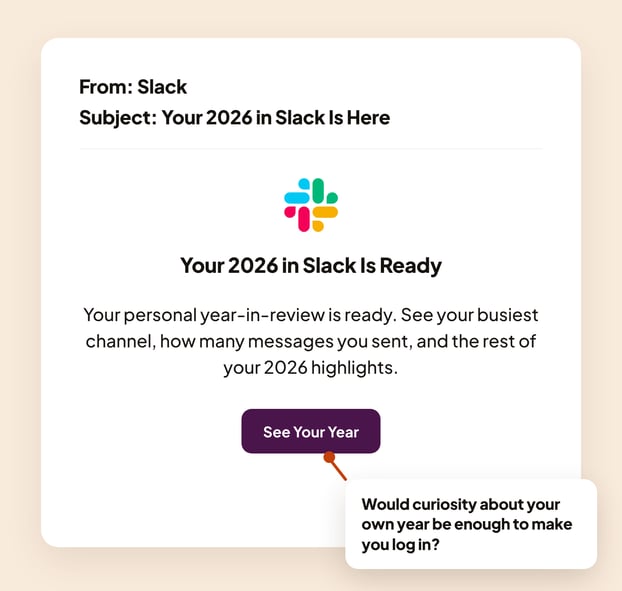
The Hook: A Slack notification, subject Your 2026 in Slack Is Here, says your personal year-in-review is ready and teases a couple of stats, your busiest channel, the number of messages you sent, with the rest behind a "See Your Year" button. Nothing is demanded. The pull is curiosity about yourself, and because Spotify and half the apps people use now send a wrapped-up recap in December, the format reads as a seasonal treat rather than a request.
Real-World Risk: "See Your Year" opens a spoofed Slack sign-in page that asks you to log in "to load your personalised stats". The recap doesn't exist; the login page is the whole point. The credentials go to the attacker, and a work chat account reaches a surprising amount: direct messages, file shares, and every channel you're in.
Learning Moment: A genuine year-in-review lives inside the app, so if one exists you'll find it by opening Slack yourself. A recap is a nice-to-have, never something you should have to log in from an email to see. Worth saying to your team as well that curiosity gets far less suspicion than fear, and this one is built entirely on curiosity.
Limit Lifted
Everyone who uses an AI assistant at work has run into a limit at the worst possible moment.
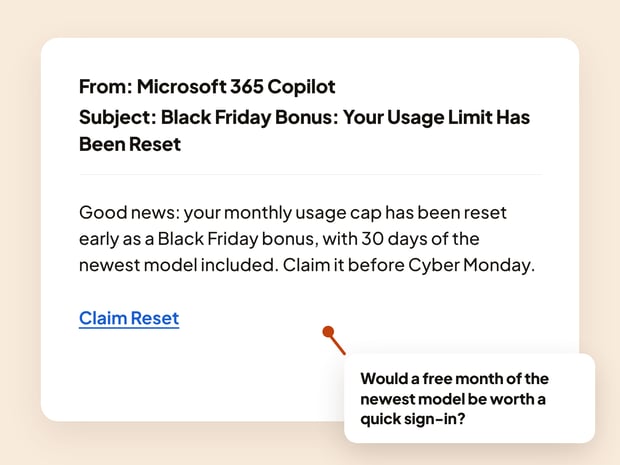
The Hook: An email from Microsoft 365 Copilot, subject Black Friday Bonus: Your Usage Limit Has Been Reset, says your monthly cap has been lifted early as a seasonal bonus, with 30 days of access to the newest model included if you claim it before Cyber Monday. It's framed as good news rather than a problem, and the soft deadline adds a little movement without anyone feeling pushed. The "Claim Reset" link promises more of a tool you already rely on.
Real-World Risk: The link opens a cloned Microsoft sign-in that asks you to authenticate "to apply the bonus to your account". The credentials are harvested on entry, and in the better versions the MFA prompt is relayed in real time so the attacker walks away with a live session. A bonus on a tool you use every day is an easy thing to want, which is what makes the login feel like a formality.
Learning Moment: Upgrades to a tool your company pays for are applied by your admin or simply appear in the product; they aren't claimed through a link in an email. Open the assistant and look. Teach the wider point too: an offer that improves something you already have is designed to feel harmless, and harmless is the state an attacker is counting on.
Gift List
A deadline attached to a favour for the team is a hard thing to leave sitting in the inbox.
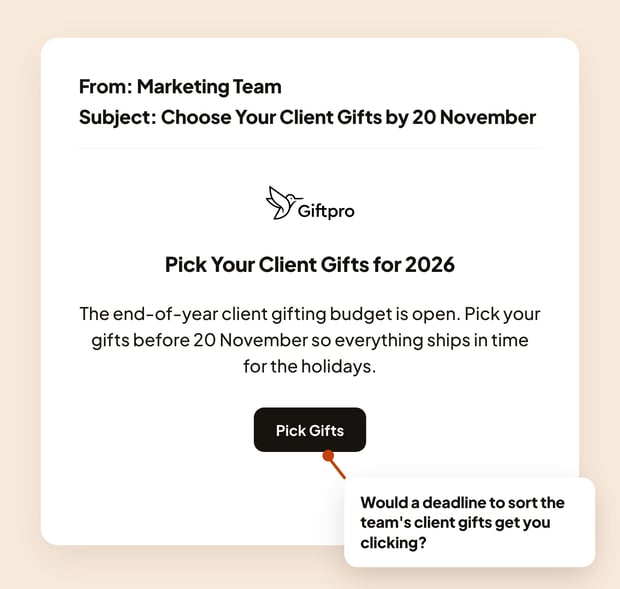
The Hook: An email from the Marketing Team, subject Choose Your Client Gifts by 20 November, says the end-of-year client gifting budget is open and asks anyone who works with clients to pick their gifts before the cutoff so everything ships in time. It's warm, it's plausible, and it carries a quiet duty, because the people who miss the deadline are the ones whose clients get nothing. The "Pick Gifts" button feels like a task to tick off rather than a login.
Real-World Risk: "Pick Gifts" opens a spoofed corporate gifting portal, in the style of Reachdesk or Sendoso, behind a company SSO prompt, and the credentials are harvested on entry. Some versions then ask for a client's name and delivery address, which quietly turns one careless click into a small pile of customer contact details.
Learning Moment: Reach the gifting platform the way you normally would, through the intranet or a bookmark, and check the campaign is really running before you sign in anywhere. A deadline is the cheapest thing in the world for an attacker to add, and it does most of the work here. If the budget really is open, it will be open when you get there your own way.
Nominated
Being singled out for praise is a nice enough surprise that most people don't stop to question it.
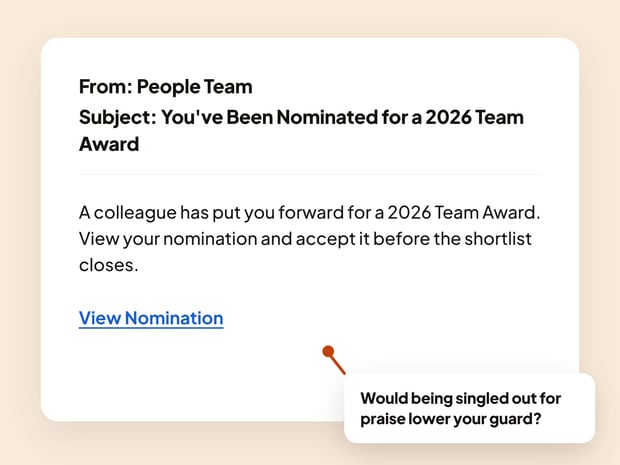
The Hook: An email from the People Team, subject You've Been Nominated for a 2026 Team Award, says a colleague has put you forward and invites you to view the nomination and accept it before the shortlist closes. The tone is generous, the timing fits the end-of-year awards season, and there's a small social pull in it, because turning down recognition feels ungracious. The "View Nomination" link promises to show you who nominated you and why.
Real-World Risk: The link leads to a fake recognition platform login, in the style of Bonusly or a Workday module, and the credentials are harvested on entry. The step that asks you to "complete your profile to accept" is a natural excuse to collect a job title and mobile number, which gives a follow-up message pretending to be HR something to work with.
Learning Moment: Recognition and awards run through the platform or the people team channel you already know, so that's where to confirm it. Flattery works because it feels almost rude to be suspicious of a compliment, and that discomfort is the lever. Naming it with your team is half the defence: a nomination that's real will still be there after you've checked
Holiday Hours
The most forgettable email of the month is the one an attacker is happiest to imitate.
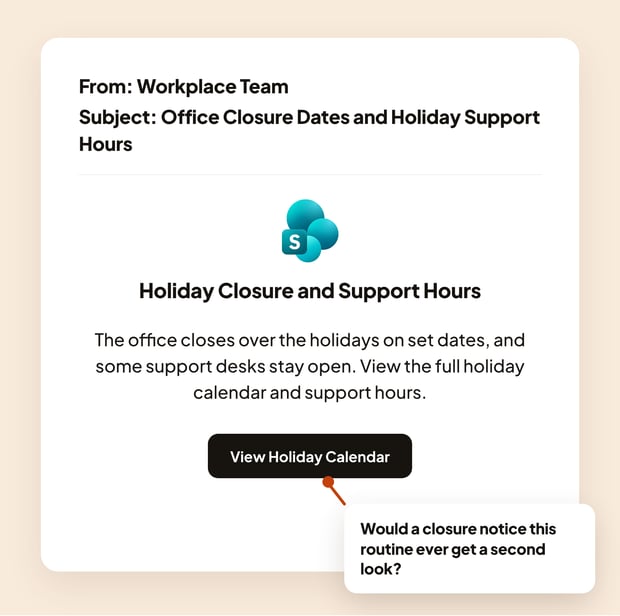
The Hook: An email from the Workplace Team, subject Office Closure Dates and Holiday Support Hours, lists the dates the office is shut over the holidays and which support desks stay open, with a "View Holiday Calendar" button for the full schedule. It's pure logistics, exactly the sort of notice that goes round every December, and nobody reads a closure notice with their guard up. That ordinariness is the whole disguise.
Real-World Risk: "View Holiday Calendar" opens a spoofed intranet or SharePoint sign-in that asks you to authenticate "to view the holiday schedule", and the credentials are harvested on entry. There's no payload and no drama, just a login page wearing the company's colours, which is all it needs to be.
Learning Moment: Closure dates live on the intranet, where every other announcement goes, so reach it through your bookmark rather than the email's button. Plenty of real intranets sit behind a sign-in, so the login itself proves nothing either way. What settles it is whether you arrived at the page from the email or from somewhere you already trust.
Generous Doesn't Mean Genuine
None of this month's templates threaten anyone. They offer a recap, a bonus, a duty quietly discharged, a bit of recognition, a tidy holiday schedule. After a year of being told to watch for the hostile email, people relax around the generous one, and in November the inbox is full of generous-looking emails.
So the habit worth teaching keeps people cheerful. It only changes where they start: open Slack, open the assistant, open the gifting platform, the people team channel, the intranet. If the good thing is real, it's waiting for you there, and you've lost nothing by arriving your own way. And when something doesn't check out, report it through whatever your organisation uses for suspicious messages, because the person who spots one is rarely the only person who received it.
Explore our phishing simulation library and pick the variations that match the tools your team actually uses.
Want to explore more? Browse our blog for additional templates, and stay ahead of cyber threats with our curated training resources.
Ready to level up? Register for a free trial of Wizer Boost to access our full library of phishing templates and exercises!
Set up your first simulation, free, in minutes.