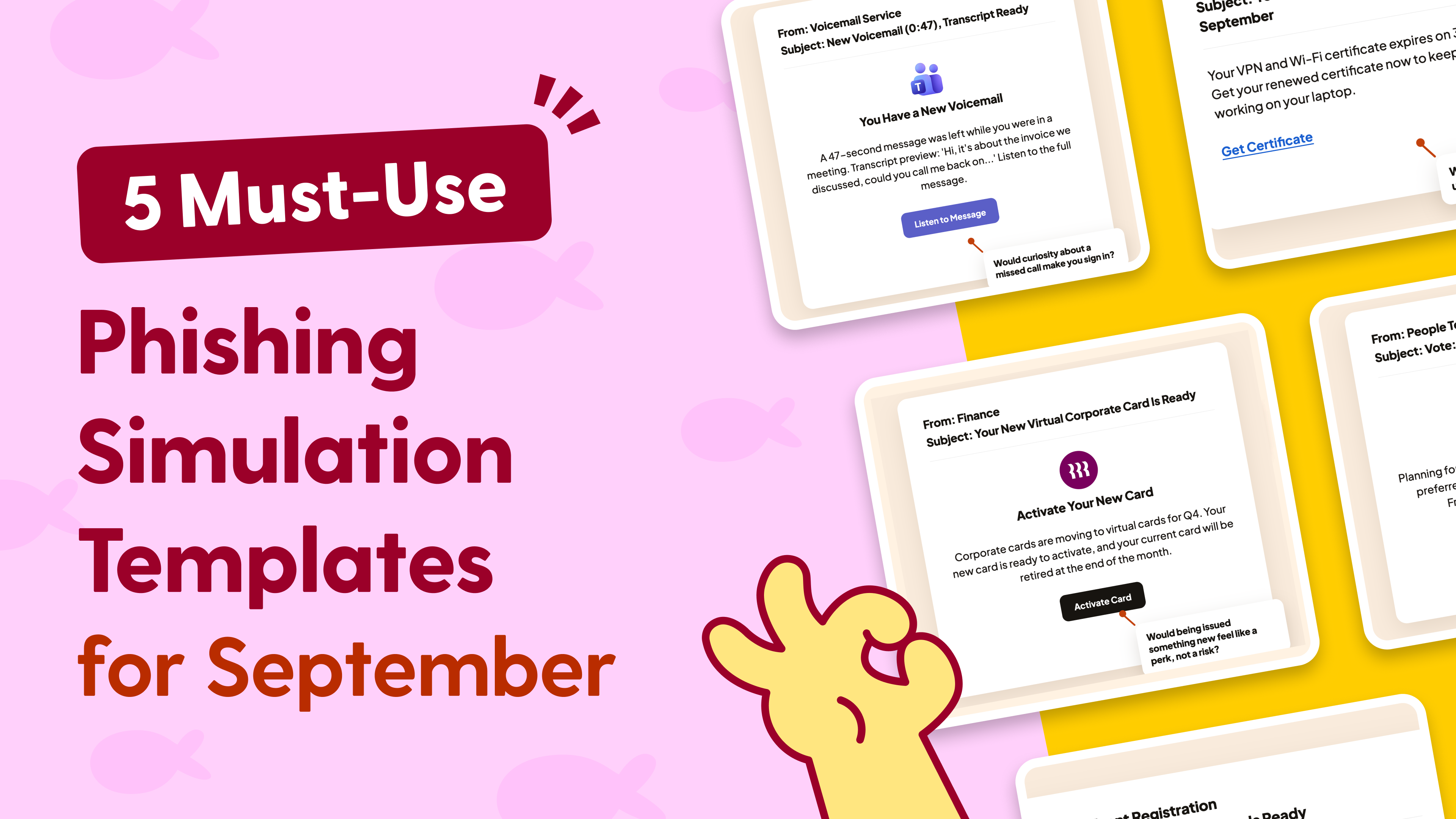
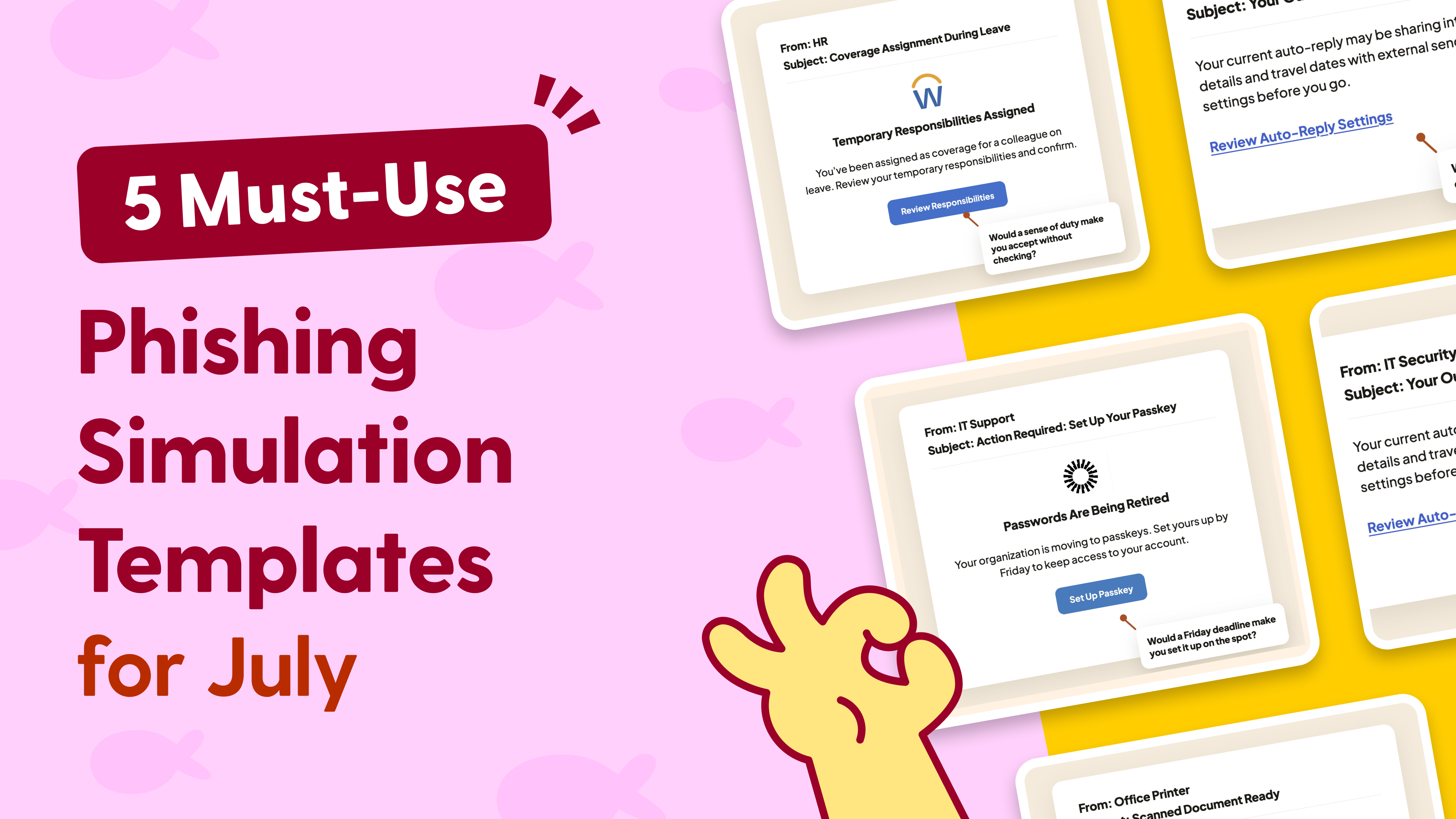
June is a month of transition. Teams are closing out Q2, preparing for summer leave, and juggling handovers before colleagues head off on vacation.
Cybercriminals thrive in exactly these moments. When employees are rushing to complete administrative tasks, clear their desks, and wrap up projects before time away, their attention naturally shifts from security to productivity.
This month’s phishing simulation templates focus on those everyday business processes that employees encounter every day. They’re not dramatic security alerts or unbelievable offers. They’re routine requests that look like the fastest way to check a box and move on.
Download these phishing templates for your in-person security awareness training materials!
1. Review Rush
Performance review cycles are a staple of the mid-year corporate calendar, bringing a mix of anticipation,
deadlines, and administrative pressure.
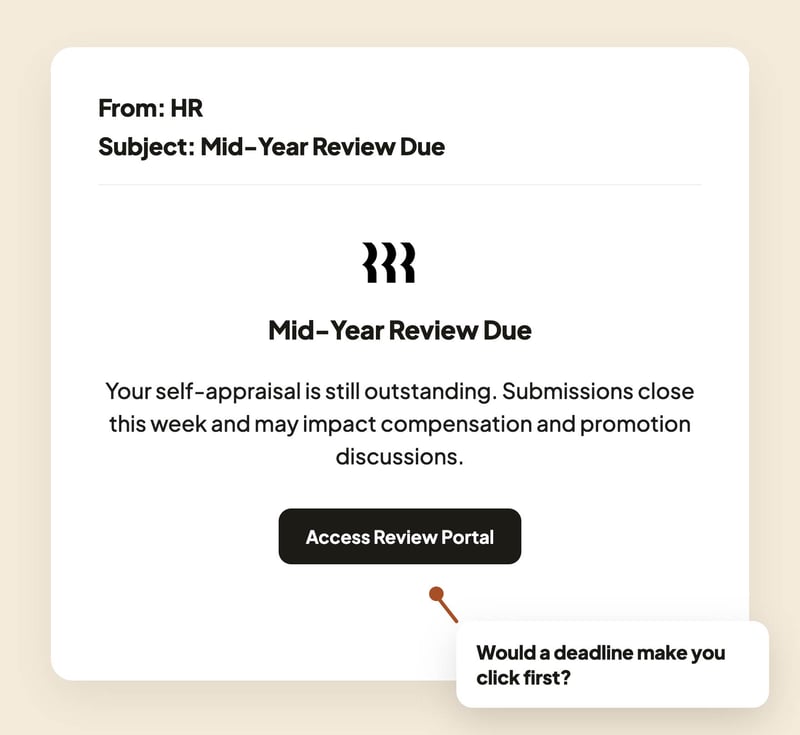
The Hook: An urgent notification from HR lands with the subject line: Action Required: Complete Your Mid-Year Self-Appraisal. The message states that the submission window closes this week and that failing to complete the form before the deadline may delay compensation reviews or promotion discussions. A prominent “Access Performance Portal” button is included.
Real-World Risk: The link leads to a convincing replica of a human resources platform such as Workday or BambooHR. Once credentials are captured, attackers can access sensitive employee data, modify payroll information, or use the account as a foothold for wider compromise.
Learning Moment: Performance reviews trigger strong compliance instincts. Encourage employees to navigate directly to HR systems through trusted bookmarks, the company intranet, or approved applications rather than clicking links inside emails, regardless of how urgent the request appears.
2. Quarter-End Crunch
As June 30 approaches, finance departments everywhere are working to close out the books for Q2.
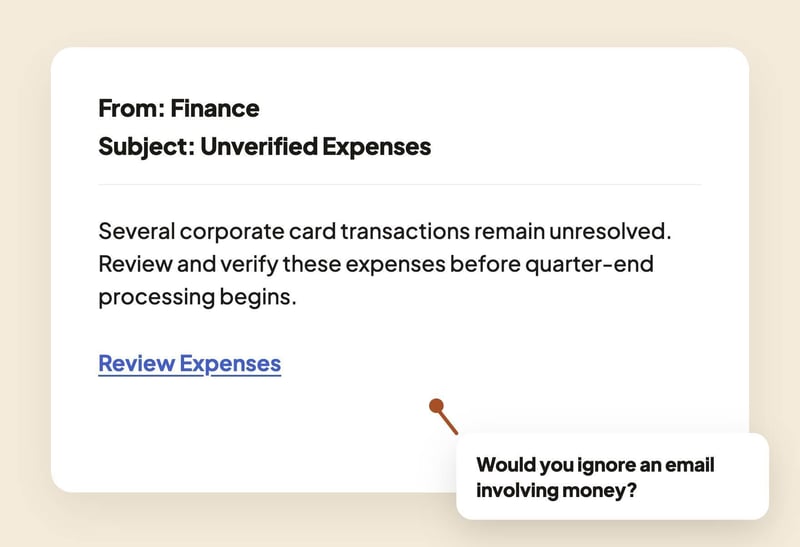
The Hook: An email from Accounts Payable warns of Unreconciled Q2 Corporate Card Expenses. The message claims that several transactions remain unresolved and require review before quarter-end processing begins. A “Review Flagged Transactions” button offers an immediate solution.
Real-World Risk: This lure targets an employee’s fear of financial consequences. The button directs users to a fake expense management portal designed to harvest credentials. Modern phishing campaigns increasingly use adversary-in-the-middle techniques to intercept multi-factor authentication (MFA) sessions and gain immediate access to corporate accounts.
Learning Moment: Financial urgency is one of the most effective phishing triggers. Remind your team that legitimate finance departments have established escalation processes and rarely resolve sensitive payroll or expense issues through a single emailed link.
3. Delegate Deception
With summer vacations underway, mailbox coverage and delegated access requests become increasingly common.
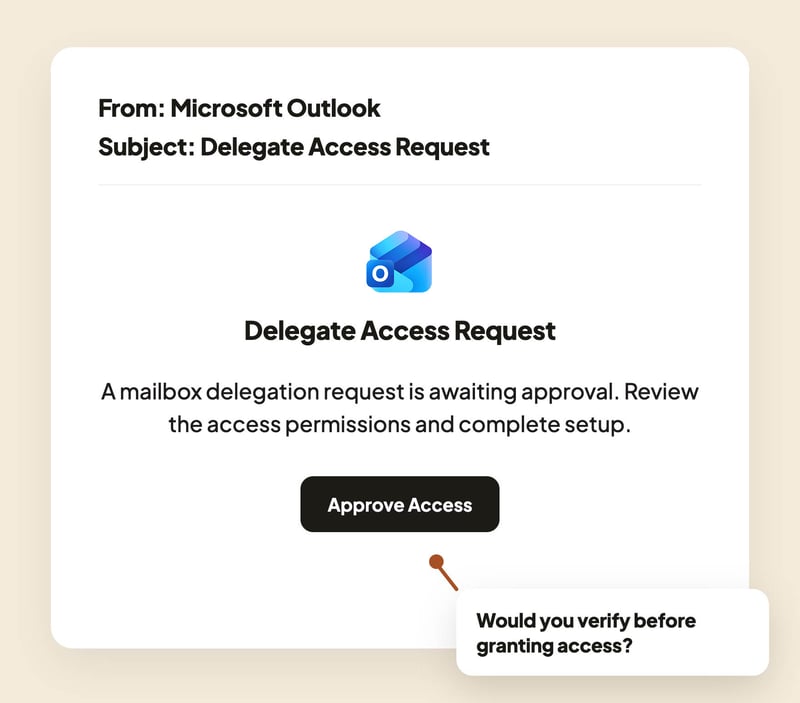
The Hook: A system-generated email styled to resemble Microsoft Outlook or Google Workspace informs the recipient that a mailbox delegation request is awaiting approval. The message explains that access needs to be configured before a colleague’s upcoming leave period and prompts the user to click “Approve Access” to complete setup.
Real-World Risk: Instead of configuring legitimate mailbox delegation, the link leads to a deceptive OAuth permissions screen. Approving the request grants a malicious application ongoing access to emails, calendars, contacts, and other corporate data without ever stealing the user’s password.
Learning Moment: Delegation and coverage requests become increasingly common during vacation periods, making them easy to overlook. Encourage employees to verify unexpected access requests through a trusted channel before approving permissions, even when the request appears to come from a familiar platform.
4. Vacation Approval Sync
As summer leave requests increase, employees become highly motivated to remove any obstacles standing between them and approved time off.
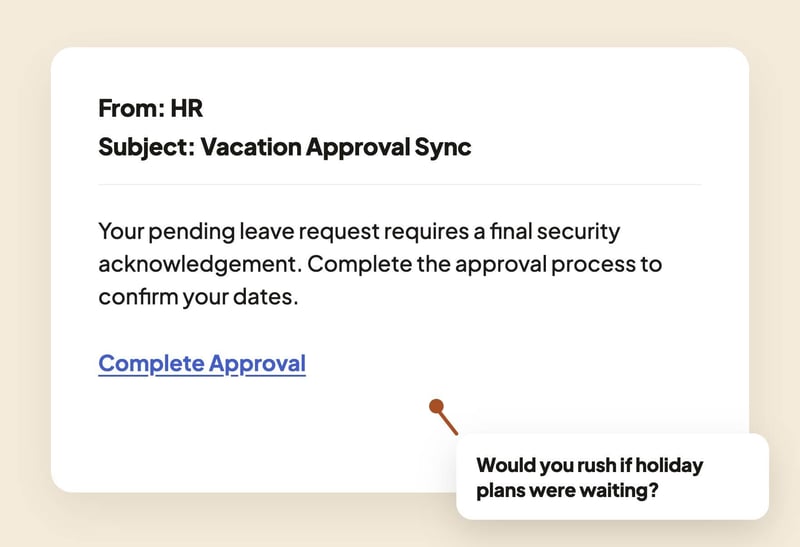
The Hook: An email from HR informs employees that pending summer leave requests require a final security acknowledgement before approval can be completed. The message explains that vacation dates are currently on hold and prompts the user to complete a quick verification step to finalize their booking.
Real-World Risk: The link directs users to a spoofed employee portal designed to harvest corporate credentials. Because the lure is tied directly to holiday plans, employees are more likely to act quickly without questioning the legitimacy of the request.
Learning Moment: Vacation requests often create a strong desire for closure. When employees believe an action stands between them and approved time off, they are more likely to bypass normal verification habits. Encourage staff to access HR systems directly rather than through links embedded in emails.
5. License Liquidation
Mid-year budget reviews often lead to software audits, license reviews, and account cleanup exercises.
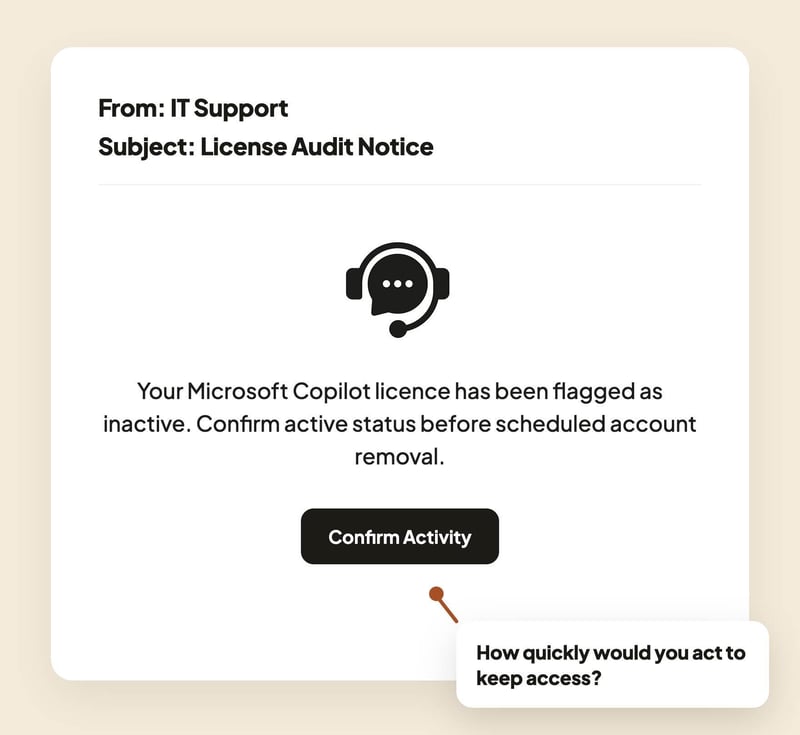
The Hook: An automated message from IT Support announces a Q2 Software License Cleanup. The email claims the recipient’s account on a platform such as Figma, Miro, Notion, ChatGPT Enterprise, or Microsoft Copilot has been flagged as inactive and will be permanently removed unless they click “Confirm Active Status” before the end of the week.
Real-World Risk: Concerned about losing access to important tools, employees act quickly. The button leads to a cloned single sign-on page designed to capture corporate credentials before the user realizes the deactivation notice was never legitimate.
Learning Moment: Software licensing reviews are entirely plausible during budget planning cycles. Encourage employees to verify unexpected account deactivation notices with their IT helpdesk or software management team before taking action.
Moving From Awareness to Habit
Modern phishing attacks rarely rely on dramatic alarms or obvious scams. Instead, they mimic the quiet administrative tasks that keep organizations running every day. End-of-quarter deadlines, leave approvals, account reviews, and delegation requests all provide attackers with believable opportunities to blend into normal business activity.
With AI helping attackers generate increasingly convincing emails at scale, the gap between legitimate business communication and phishing continues to shrink. By simulating these routine workflows during busy periods like the end of Q2, organizations can help employees build the habit that matters most: pausing long enough to verify before they act.
Want to deploy these five templates to your team this month? Explore our phishing simulation library and choose the variations that best match your organization’s inbox ecosystem.
Want to explore more? Browse our blog for additional templates, and stay ahead of cyber threats with our curated training resources.
Ready to level up? Register for a free trial of Wizer Boost to access our full library of phishing templates and exercises!
Learn how to set up your first simulation in minutes.
.png?width=501&height=501&name=Phishing-Example-PDFs-june(3).png)